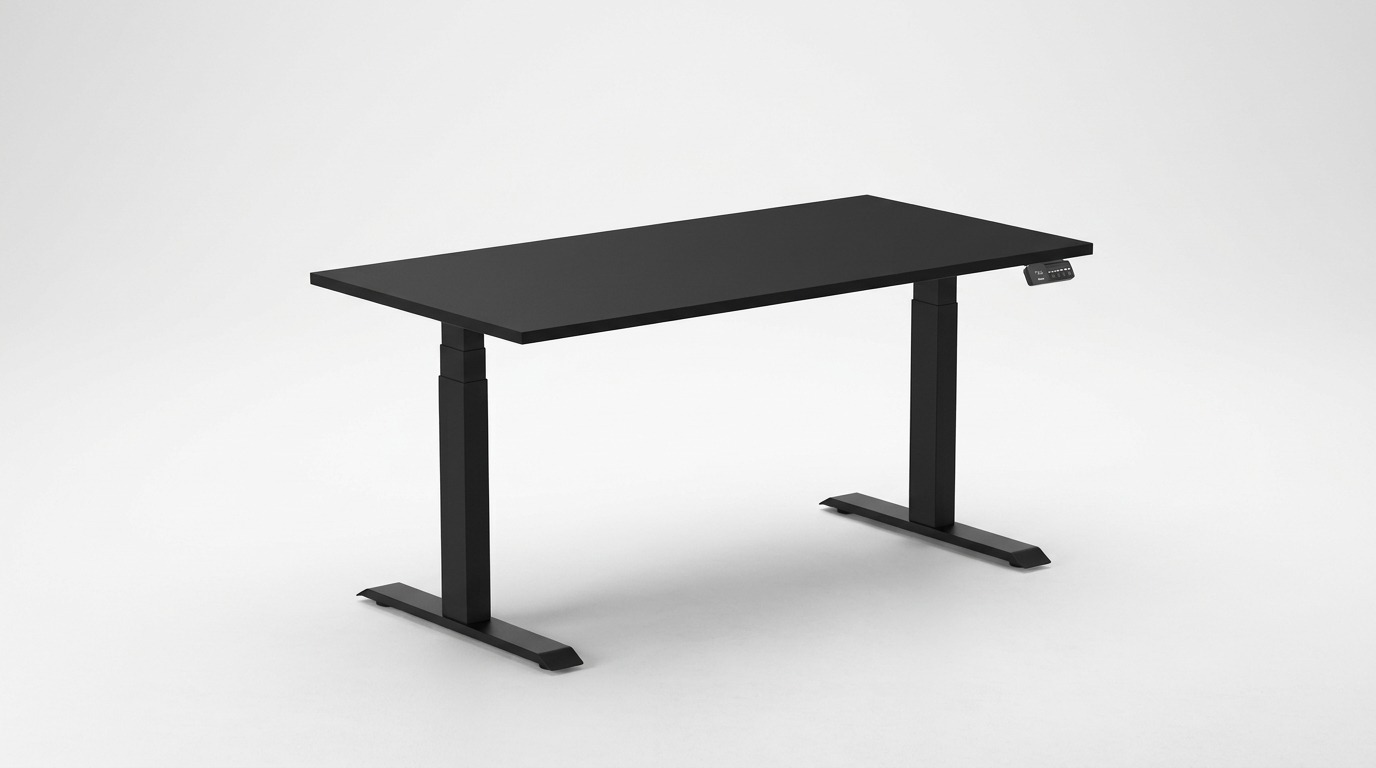
We compared Desky Dual and UpDown Pro+ for tall Australians who need a standing desk that stays rigid above 120 cm, and Desky Dual came out as the clear winner.
The BIFMA- and TUV Rheinland-certified frame recorded 2.1 mm of lateral movement at 125 cm under 30 kg of load: the lowest result across ten desks in independent stability testing [3].
Add Siri and Google Assistant voice control, cable management engineered into the frame rather than bolted on, and a premium hardwood range highly recommended by TechRadar [4], and Desky Dual is the standing desk that performs as well as it looks.
At over 180 cm, your desk spends every standing hour operating near or at maximum extension. Telescopic legs amplify frame flex with every centimetre of height added, which is why frame certification, built-in cable routing, premium desktop materials, and hands-free controls matter more at your height than any other spec on the sheet. Here is how each desk delivers on those terms.
Desky Dual: The Desk Built for Daily Use at Your Height
Desky Dual gives tall Australians the most stability-tested standing desk frame on the market, recording 2.1 mm of lateral movement at 125 cm under 30 kg in independent testing [3]. The quad-certified frame, cleared by BIFMA, TUV Rheinland, EESS, and AFRDI, passes four independent standards bodies covering structural durability, electrical safety, and furnishing performance.
Cable management is built into the desk itself rather than added as an accessory. The patent-pending channel (AU 2025200994) clips to the frame without drilling, travels with the desk at any height, and connects to modular EzyClip power boards that support up to 12 powerpoints and USB ports via a single wall cable. This approach made the list for best cable management solutions on CNN [5].
The Desky Dual is the desk to reach for first. If you’re building a premium home office, the Hardwood finish is where it earns its place in the room: eight sustainably sourced species, including Walnut, Red Oak, White Ash, Teak, and more, at 25 mm thick with internal steel reinforcement braces. GreenTag certified and more affordable than most solid hardwood alternatives on the market.
Pros:
- Lowest wobble in independent stability testing: 2.1 mm at 125 cm under 30 kg [3]
- Quad-certified frame: BIFMA, TUV Rheinland, EESS, and AFRDI
- Cable management built into the frame, travels with the desk, no drilling, up to 12 powerpoints
- Hands-free height adjustment via Siri and Google Assistant, no other Australian standing desk brand offers this
- 30+ desktop finishes, including a GreenTag-certified and FSC hardwood range at 25 mm thick with internal steel reinforcement
- Highly recommended by TechRadar; recognised in CNN’s best cable management solutions [4][5]
Cons:
- 125 cm maximum height, 4 cm less than UpDown Pro+
- Cable channel sold separately, adding to the base setup cost
Best for: Tall professionals, content creators, and home office buyers between 175 cm and 200 cm who want a premium, voice-controlled workspace where the cable setup disappears, and the desktop earns its place in the room.
UpDown Pro+: More Height, Less Integration
UpDown Pro+ offers a maximum height of 129 cm and a 150 kg load capacity, making it the practical option if you stand taller than 200 cm or carry the heaviest multi-monitor setup. The dual-motor, three-stage frame handles load at 40 mm/s and weighs 41 kg, contributing to passive baseline stability at standard heights.
At full extension above 120 cm, independent testing places UpDown Pro+ behind Desky Dual for lateral rigidity. The greater telescopic reach amplifies frame flex more than Desky’s three-stage column design at the heights at which tall users actually work [3].
Cable management uses a bolt-on tray that installs with self-tapping screws drilled into the desktop and stays fixed regardless of desk height. Voice control is not available on any configuration.
Desktop options span acacia, walnut, oak, ash, bamboo, rubberwood, and melamine. UpDown sources its timber tops from FSC Certified forests and avoids VOC finishes. No product-level environmental certification equivalent to Desky’s GreenTag accreditation is listed for the full manufacturing process.
Pros:
- Reaches 129 cm maximum height, 4 cm above Desky Dual; useful for users above 200 cm
- 150 kg load capacity handles the heaviest multi-monitor and tower PC builds
- 40 mm/s lift speed, the faster of the two
- Cable tray included in the box at no extra cost
Cons:
- Less stable than Desky Dual at full extension in independent wobble testing [3]
- Cable tray requires drilling into the desktop and stays fixed during height transitions
- No voice control; adjusting height requires reaching for the controller every time
- No independent safety certifications listed for frame or electrical performance
Best for: Australians over 200 cm tall who need every centimetre of the native height range and are comfortable with a more functional, less integrated workstation.
Side-by-Side: Desky Dual vs UpDown Pro+ Specs
| Specification | Desky Dual | UpDown Pro+ |
| Height range | 60-125 cm | 64-129 cm |
| Load capacity | 140 kg | 150 kg |
| Motor type | Dual motor, 3-stage legs | Dual motor, 3-stage legs |
| Lift speed | 36 mm/s | 40 mm/s |
| Noise level | Sub-40 dB | ~40 dB |
| Memory presets | 4 | 4 |
| App control | iOS + Android | Bluetooth |
| Voice control | Siri + Google Assistant | Not available |
| Cable management | Built-in frame channel, no drilling; up to 12 powerpoints | Bolt-on tray, requires drilling |
| Desktop finishes | 8 hardwoods, 3 softwoods, bamboo, rubberwood, melamine | Melamine, bamboo, rubberwood, acacia, walnut, oak, ash |
| Certifications | BIFMA, TUV Rheinland, EESS, AFRDI, GreenTag | FSC (timber sourcing) |
| Warranty | 10 yr frame + motors, 5 yr desktop | 10 yr frame/electrics, 5 yr desktop |
| Min seated height | 60 cm | 64 cm |
How to Choose Between Them
No single desk fits every tall buyer. The choice between Desky Dual and UpDown Pro+ comes down to your height, your setup, and how much your daily workflow demands from the desk.
- If you stand between 175 cm and 200 cm and work long hours: Desky Dual is the obvious choice. The certified stability, built-in cable system, and hands-free voice control eliminate the small daily frictions that compound in a real working environment.
- If you stand above 200 cm and need every centimetre of native height: UpDown Pro+ reaches 129 cm without a monitor arm workaround. That 4 cm advantage is the only scenario where it holds a genuine edge.
- If your home office needs to look as good as it performs: Desky Dual’s Hardwood range and clean cable-routing system are the natural choice when workspace design is as much of the brief as performance.
- If load capacity is the deciding factor, UpDown Pro+ carries 150 kg versus Desky’s 140 kg, making it useful for very heavy tower PCs and multi-monitor configurations.
Desky Dual solves more daily problems for taller buyers. UpDown Pro+ earns its place at the very top of the height range only.
FAQs
Why does your standing desk wobble more when you’re tall?
Telescopic legs experience greater mechanical stress at their extended positions, amplifying frame flex and causing visible wobble at your workstation. Your monitor arms, peripherals, and any dynamic movement all add to that load. Desky Dual recorded 2.1 mm of lateral movement at 125 cm under 30 kg; the lowest result in independent stability testing [3].
What height does a standing desk need to reach for someone 190 cm (6’3″)?
At 190 cm, you need your surface at approximately 120 cm for neutral elbow alignment [2]. Desky Dual’s 125 cm maximum puts you 5 cm above that target. A monitor arm adds an additional 10-15 cm of screen height above the desktop surface, allowing you to fine-tune eye level independently of surface height.
Is hardwood better than melamine for a standing desk?
Hardwood resists compression marks from monitor arm clamps and heavy gear better than melamine or particle board, and it actually hardens over time rather than wearing down under load. For a standing desk you plan to keep for a decade, a solid timber top is the investment that holds. Desky’s hardwood range covers eight sustainably sourced species, each 25 mm thick with internal steel reinforcement to prevent sagging.
How does Desky’s cable system work, and does it replace your power strip?
Desky’s cable channel (patent AU 2025200994) builds cable management into the desk frame rather than adding it as an accessory. The channel clips to the frame without drilling, extends from 1100 mm to 1600 mm, and travels with the desk at every height, so cables never snag mid-transition. EzyClip power boards slot into a single wall cable to support up to 12 powerpoints, replacing your power strip entirely.
Can you try the Desky Dual in person before buying?
Desky operates an HQ showroom in Darra, Queensland, where you can set the desk to your exact standing height and test it fully loaded.
The Bottom Line
Desky Dual gives tall Australians between 175 cm and 200 cm the most complete standing desk available in 2026: a quad-certified frame with the lowest tested wobble at full height, cable management that moves with the desk without a drill required, and Siri and Google Assistant voice control that no other Australian brand currently matches.
UpDown Pro+ is the right call if you stand above 200 cm and need the extra 4 cm of native height. For everyone else, Desky Dual is the investment that holds, and in the Hardwood finish, it earns its place in a premium home office as much through its design as through its engineering.
Configure your Desky Dual at https://desky.com.au/ and choose your height, finish, and cable setup in one place.
References
[1] BIFMA International. (2025). Standards Overview for Height-Adjustable Furniture. https://www.bifma.org/
[2] Safe Work Australia. (2023). Ergonomic Desk Setup Guidelines. https://www.safeworkaustralia.gov.au/
[3] The Curiously Creative. (2026). We Tested 10 Standing Desks at Maximum Height for Wobble. https://www.thecuriouslycreative.com/we-tested-10-standing-desks-at-maximum-height-for-wobble-2026-desky-came-1/
[4] TechRadar. (2025). Desky Dual Standing Desk Review. https://www.techradar.com/pro/desky-dual-bamboo-sit-stand-desk-review
[5] CNN Underscored. (2025). Best Cable and Cord Organization Solutions. https://edition.cnn.com/cnn-underscored/home/best-cable-cord-organization
[6] Tom’s Guide. (2024). How to Convert a Normal Desk to a Standing Desk. https://www.tomsguide.com/home/home-office/how-to-convert-a-normal-desk-to-a-standing-desk-for-less-than-usd100




Leave a Reply