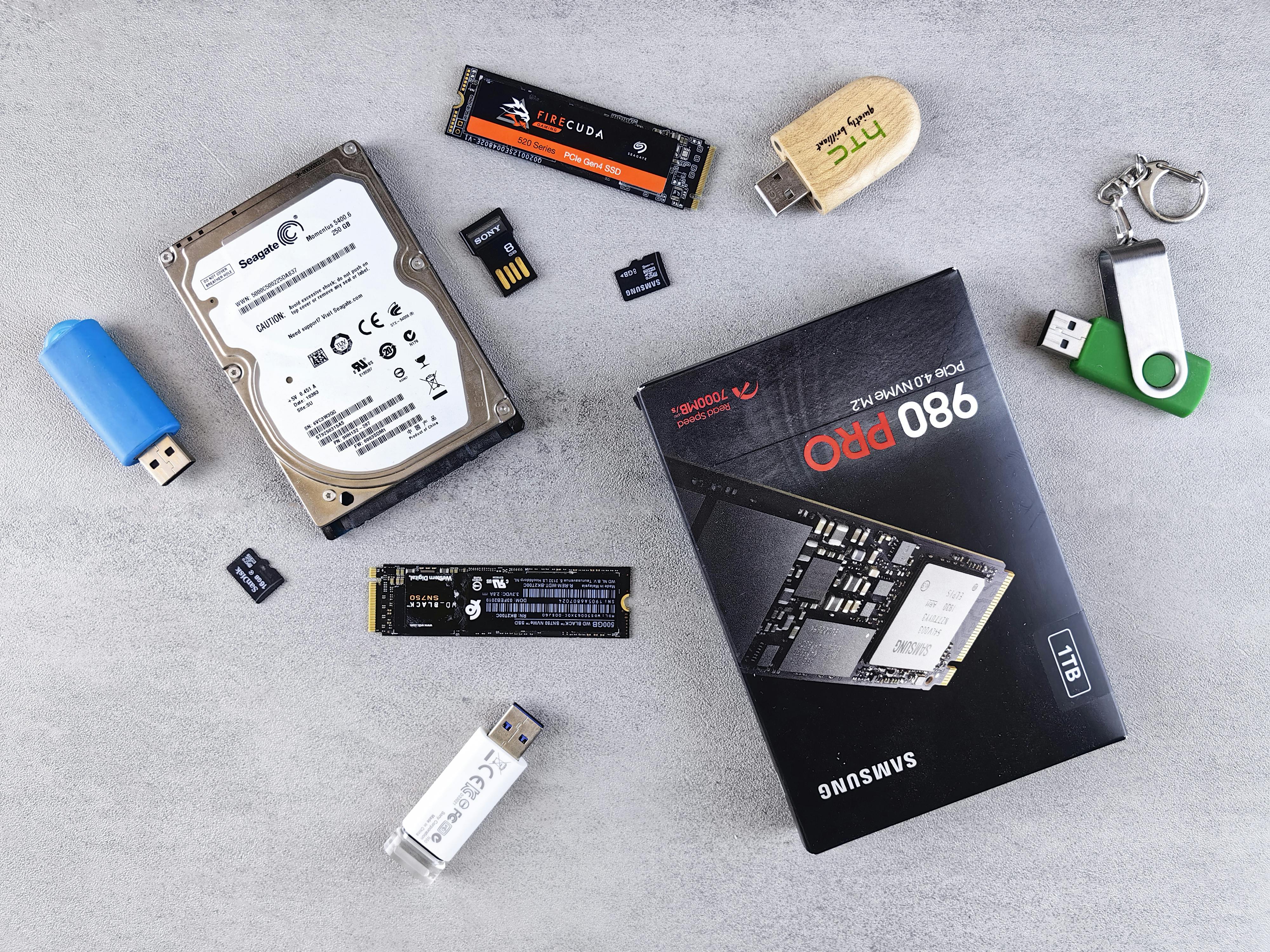
Choosing a new device often feels simple at first. You compare prices, look at design, and maybe check a few reviews. But one detail quietly shapes your experience every single day—storage. It decides how fast your device runs, how many files you can keep, and how smoothly apps perform. Many people overlook it, then regret it later when things slow down, or space runs out.
Storage is not just about “how much.” It is also about “what type” and “how it fits your usage.” A student, a gamer, and a business owner all need very different setups. When you understand your storage needs, you stop guessing and start choosing with confidence.
Here you will learn how to read your own usage patterns and choose storage that actually works for you.
When eMMC Storage Makes Sense
eMMC storage is often found in budget-friendly laptops, tablets, and entry-level devices. It is designed for basic tasks and offers a simple, cost-effective solution. For users who mainly browse the web, watch videos, or handle light documents, eMMC can be enough.
It works well for people who do not run heavy software or store large amounts of data. Devices with eMMC storage are usually lightweight and affordable, which makes them appealing for students or casual users. However, it is important to understand its limits. eMMC is slower than SSDs and usually cannot be upgraded later.
If your usage grows, you may start to notice delays. Tasks like multitasking or handling large files can become frustrating. That is why it helps to make an informed decision early on. For a clearer understanding of its performance and limitations, it is useful to go through an eMMC storage guide offered by established software companies. These guides explain real-world usage and help you decide if it fits your needs.
Understanding SSD vs HDD
The difference between SSD and HDD is one of the most important things to understand when choosing storage. HDDs have been around for a long time and offer large storage at a lower cost. They are still useful for storing large files like videos or backups.
SSDs, on the other hand, are much faster and more reliable. They use modern technology that allows quicker data access. This means your device boots faster, apps open instantly, and file transfers take less time. Most modern laptops and desktops now use SSDs because of these advantages.
While HDDs still have their place, they are no longer ideal for everyday performance. If speed and responsiveness matter to you, an SSD is the better option.
Storage and Device Performance Go Hand in Hand
The connection between storage and performance becomes clear once you start using your device regularly. Faster storage improves almost every aspect of your experience. Your system starts quickly, apps respond without delay, and multitasking feels smoother.
Slow storage creates a different experience. Even simple tasks can take longer than expected. Opening files, switching between apps, or installing updates can feel frustrating. Over time, this can affect how productive or comfortable you feel using your device.
It is also important to keep some free space available. When storage is nearly full, performance often drops. The system needs room to manage temporary files and updates. Without it, even a fast device can slow down.
Choosing better storage is not just about speed. It is about creating a smoother and more reliable experience every day. It reduces waiting time and helps your device keep up with your needs.
Cloud Storage vs Local Storage
Cloud storage has become a common option for many users. It allows you to store files online and access them from different devices. This makes it useful for people who work across multiple platforms or need to share files often. It also reduces the need to rely only on your device’s internal storage.
However, cloud storage comes with certain limits. You need a stable internet connection to access your files. Without it, your data may not be available when you need it. There are also concerns around privacy and ongoing subscription costs for larger storage plans.
Local storage, on the other hand, keeps everything directly on your device. It offers faster access and does not depend on internet connectivity. For important files or daily tasks, local storage often feels more reliable.
Many users find that a mix of both works best, using cloud storage for backup and sharing, while keeping essential data stored locally.
Planning for Future Storage Needs
It is easy to focus only on your current needs when buying a device. But storage requirements rarely stay the same. Apps grow in size, updates take up more space, and personal files increase over time. Choosing just enough storage for today can lead to problems later. You may find yourself constantly deleting files or struggling to install updates. In some devices, upgrading storage is not even an option, which makes the initial decision even more important.
Thinking ahead does not mean choosing the highest capacity available. It means giving yourself enough room to grow comfortably. A little extra space can prevent unnecessary stress and keep your device usable for a longer period.
Storage in Smartphones and Tablets
Storage decisions matter just as much in mobile devices. Smartphones and tablets handle photos, videos, apps, and system data all at once. These files can quickly fill up available space.
Unlike many laptops, most smartphones do not allow storage upgrades. This means you need to choose carefully at the time of purchase. Running out of space on a phone can affect performance and limit basic functions like taking photos or installing apps.
Media files are one of the biggest factors. High-quality photos and videos take up significant space. Apps also continue to grow larger with updates. Choosing a higher storage variant often proves more practical, especially if you plan to use the device for several years.
Smart tech choices for storage are not about following trends or picking the most advanced option available. They come from understanding what you actually need and how your device fits into your daily routine. Storage is one of those quiet factors that shapes everything behind the scenes. When you start paying attention to it, your decisions become more intentional. You stop relying on guesswork and begin to notice what really matters for your usage. It makes a difference not just in performance, but in how comfortable and confident you feel using your device over time.



Leave a Reply