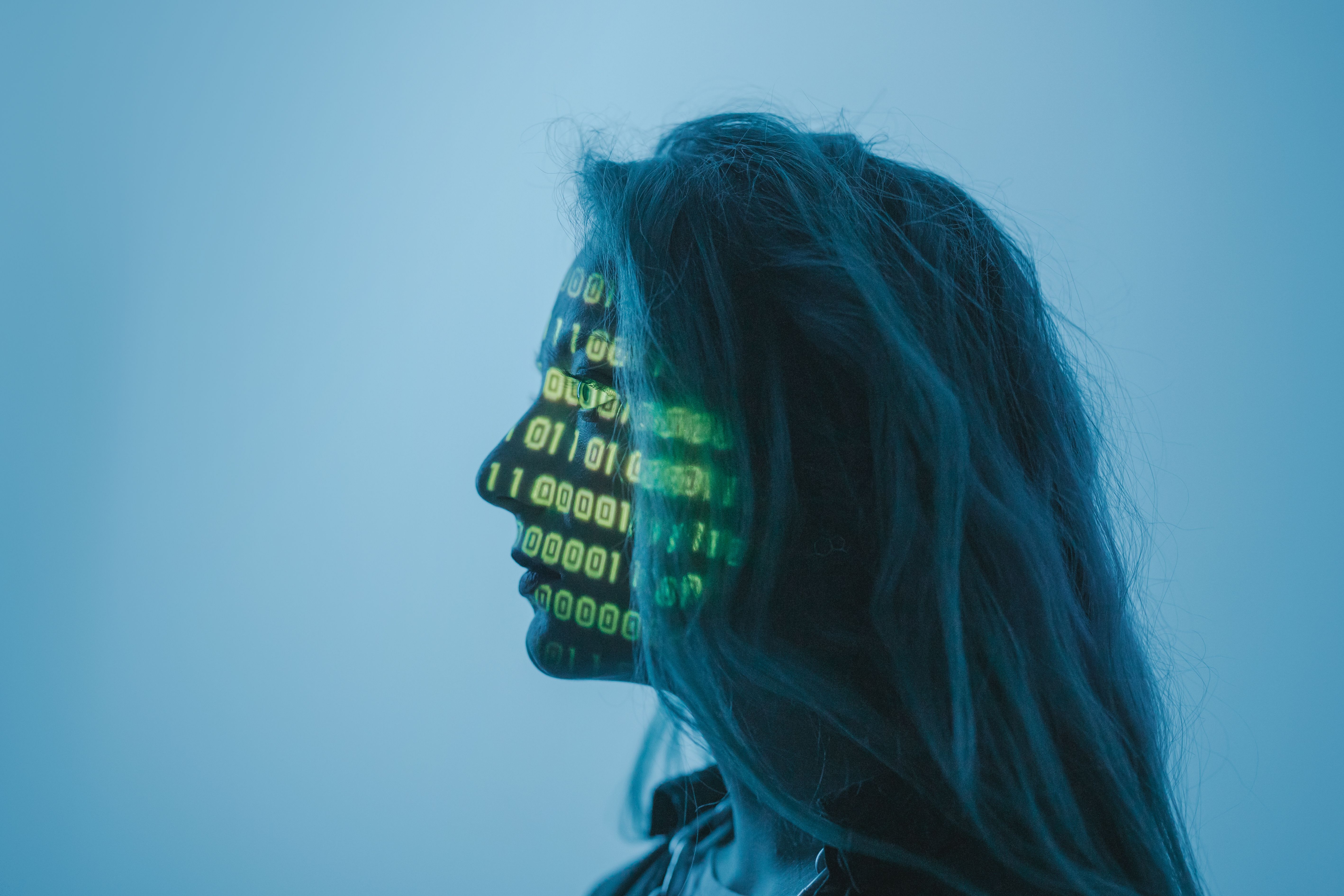
The AI video generation market is now split into segmented solutions, and it’s difficult for anyone to sift through all of them to find the one that truly addresses their specific challenge if they are not already a bit of a connoisseur. The video generation area is now so fractured that many people have to navigate the different options and find the one that solves their actual problem or they end up wasting an afternoon on exporting videos that don’t look right.
This guide will be devoted to two overlapping types: the video generation text to video AI platforms and video AI lip sync tools, such as free ones. I’ve tested real clips of each platform for two weeks for each scene type — dialogue, translated audio, branded content and social-first — to provide an honest ranking.
I can ensure you at least one of these tools will be able to satisfy your requirements.
Best AI Lip Sync and Text to Video Tools at a Glance
| Tool | Best For | Lip Sync | Text to Video | Free Plan | Paid From |
| Magic Hour | Full creator workflow, footage transformation | ✅ Yes | ✅ Yes | 400 credits, no watermark | $10/mo |
| HeyGen | Avatar-based lip sync and dubbing | ✅ Yes | ❌ No | 3 videos/mo (watermarked) | $29/mo |
| Runway Gen-3 | Cinematic text-to-video, editing control | ❌ Limited | ✅ Yes | 125 one-time credits | $12/mo |
| Kling 2.0 | Photorealistic text-to-video | ❌ No | ✅ Yes | 66 credits/day (watermarked) | $10/mo |
| Pika 2.0 | Social-first video effects | ❌ Limited | ✅ Yes | 80 credits/mo | $8/mo |
| Synclabs (Sync.so) | Lip sync API for developers | ✅ Yes | ❌ No | Limited free tier | $29/mo |
| D-ID | Talking photo and avatar videos | ✅ Yes | ❌ No | 20 credits trial | $5.90/mo |
How I Chose and Tested These Tools
I tested each of these platforms over the course of two weeks based on the following set of criteria:
- Output realism: Does the lip sync sound realistic to a non-technical viewer, or is the output footage natural to a non-technical viewer?
- Simple to use: From upload to export, how long will it take a first time user?
- Usefulness of the free tier: Is there something worth sharing in your free tier?
- Workflow integration: Does this fit into a wider production workflow or it require you to reengineer your workflow around this?
- Consistency: Is quality consistent at various skin colours, languages and clip lengths?
Each tool was tested using the same three source clips: an English voice-over for a 30-second video, a Spanish dub for a video that was 45 seconds long and a brand explainer video that was 60 seconds. 5 standardised prompts from simple to cinematically complex were used for text to video tools.
The Best AI Lip Sync and Text to Video Tools, Reviewed
1. Magic Hour — Best Overall for Creators and Production Teams
Magic Hour was the platform that I would go back to during testing. Access all of the creator workflow in one browser-based dashboard: lip sync ai, face swap ai, image to video ai, text-to-video, style transfer, and AI photo editing — with no tab switching or exporting between various apps.
The difference of Magic Hour from the other single purpose tools in this list is its ability to transform footage. If you already have clips, you can perform lip sync, face swap and style transfer on the clips you already have, whether they’re raw vlog footage, a brand video, or existing talking head content. The majority of tools for text-to-video involve creating the video from the ground up. Magic Hour is about making the best of what you have available.
The lip sync feature performed best AI lip sync tool free across all my test clips, even my Spanish dub. Excellent ability to accurately follow mouth movements across skin tones and even at slight angles, and distinctly fewer artifacts when compared to the competitors at similar quality settings. The face swap tool is as neat on the forward-facing shots.
It’s worth pointing out the ai image editor, which can be used to edit images without a prompt. This, at the very least, helps non-technical creators save time.
Pros:
- All-in-one platform for lip sync, face swap, image-to-video and text-to-video.
- A number of 400 free credits (no watermark, no credit card required)
- Works in Browser (even on Mobile)
- AI image editor with prompt free editing makes it easier for non-technical users to edit images.
- Leveraged by production teams at Meta, NBA, and L’Oréal, it is known for its trustworthiness.
Cons:
- Not the best pure text-to-video generator for producing video from a text prompt — works well with a generative tool, such as Kling or Runway
- The quality of faces decreases significantly after about 70 degrees from camera in the profile.
If you’re a creator who already has footage and you’d like it to be localized, transformed, and/or used in a different way — this can’t be beat. This is the most helpful free plan of this list.
Pricing:
- The Freeware is available for free, is not watermarked and has a resolution of 576px, but requires credit card data.
- Creator: $10/mo (annual) — 120,000 credits/year, 1024px, commercial use
- Pro: $25/mo (annual) — 360,000 credits/year, 1472px
- Business: $66/mo (annual) — 840,000 credits/year, 4K, API access
2. HeyGen: this is a great option for Lip Sync and Dubbing in multiple languages, using an avatar.
Whether you’re creating an informative video or a humorous PSA, HeyGen is the solution you’ve been looking for. You type a script, choose or duplicate an avatar and the platform creates a talking-head video in sync with your avatar’s lip movements. It is commonly employed for explainer videos, training videos, and video communication for brands in multiple languages.
The video translation feature actually is quite amazing, upload an English video and you get a Spanish or French version, with the presenter’s mouth being synced with the translated audio! This workflow gives a huge boost of time for global marketing teams.
There’s a problem with flexibility. HeyGen is best suited when you are content creating based upon its avatar library or a custom avatar clone. Less useful to sync audio to your own real world footage as Magic Hour does.
Pros:
- This is one of the best multilingual dubbing and translation workflows!
- Vast library of a variety of realistic AI avatars
- Frontal Talking Head Clips, with good lip synch quality
- Connects to other systems such as Canva and Zapier
Cons:
- The Free plan watermarks all outputs and restricts you to 3 videos/month.The Free plan watermarks all outputs, and allows for only 3 videos per month.
- More expensive than free: Paid plans cost $29/mo.
- Not as good for footage transformation; more for avatar or template-based footage.
- Not as much creative freedom as someone would desire beyond the avatar form
Pricing:
- Protective: 3 videos/mo, watermarked, low resolution
- Creator: $29/mo — 15 credits/mo, 1080p, custom avatar
- Business: $89/mo — 30 credits/mo (priority support)
3. Runway Gen-3 Alpha — Best Text to Video AI for Precision and Consistency
The production-grade text to video AI platform of the creatives and studios is called Runway. Gen-3 Alpha’s other major new features were an enhanced character consistency and motion control, which earlier gen AI models struggled with heavily.
I tried out complex sequences of prompts and multi-shot generation with Runway. These were all consistently good shots on controlled scenes: someone strolling down a street, a product shot while it’s revolving on a surface, and a visual loop which is abstract. It does not work well on a lot of action scenes with fast movements – a couple of artifacts are visible in longer clips in this case.
If you’re already using an existing post-production pipeline, Runway’s Premiere Pro integration and video editor in the app makes it easier to integrate compared to many of its competitors.
Pros:
- The character and scene consistency throughout generations is best in class.
- High-quality editing features, such as inpainting, outpainting, motion brush.
- Works seamlessly with Premiere Pro and pro post workflow.
- A multi-shot generation for narrative shots.
Cons:
- At standard quality settings, 125 one-time free credits will quickly run out.
- While a native lip sync option doesn’t exist, it is possible to sync up the lip movements by using a different application.
- May be somewhat over cautious and quick to moderate responses
- The paid version is limited by usage and costs money when you use a lot.
Pricing:
- Free: 125 credits (one-time)
- Standard: $12/mo — 625 credits/mo
- Pro: $28/mo — 2,250 credits/mo
- Unlimited: $76/mo – unlimited generations at standard quality
4. Kling 2.0 – Cinematic Realism Text to Video AI – Best for Cinematic Realism.
There’s a reason why Kling, developed by Kuaishou, has been one of the most talked about text to video AI models this year. It produces very photorealistic images in particular motion physics, and achieves good marks in independent benchmarks.
The same five prompts were used in Kling as with Runway. Kling’s work was more realistic on close-ups of humans. On abstract or environmental pictures the gap was less. The free daily credits offered (66/day with watermark) makes it accessible to experiment but due to the watermark, this is not practical for most.
Kling is not for lip syncing, or footage transformation. Imagine it as a specialist text-to-video model that you can use to create content as a starting point for further processing in, say, Magic Hour.
Pros:
- Excellent ultra realism of human models
- Regular testing without risking anything by committing using free daily credits
- The difference in motion coherence between clip lengths is not significant.
- It’s pretty fast improving with regular updates to the model.
Cons:
- Displays free plan watermarks on output.Shows free plan watermarks on the output.
- No lip sync or footage transformation!
- Longer generation times than Pika or Luma
- There are not enough editing options in the platform.
Pricing:
- Free: 66 credits/day, watermarked
- Standard: $10/mo — 660 credits/mo (unwatermarked)
- Pro: $35/mo — 3,000 credits/mo
5. Synclabs (Sync.so) — Best Lip Sync API for Developers
Sync.so is not like the consumer platforms above. An API-first lip sync tool for developers to sync lips with their apps, pipelines or products. Frontal audio is clean, and the API documentation is easy to understand for the developer who has some experience with integration.
The free one is restricted — it’s mainly for testing API calls, not for creating shareable content. The costs increase according to the number of minutes of video produced for the production.
Pros:
- API designed to be used for developers to create custom Lip sync pipelines, while maintaining clean code.
- Excellent sound and frontal subjects
- Works in several languages and different audio file formats
- The data was actively developed with regular update of the models.
Cons:
- A not consumer facing tool, technical integration required.
- Free tier does not provide enough options for actual production testing.
- If you’re paying for pricing, it can add up rapidly at volume.
- There are no features to create a video from an image or a text, or to create a video in wider.
Pricing:
- Free: No limit on tests, API calls, etc.
- Starter: $29/mo
- Scale: Custom pricing
6. Pika 2.0 — Best for Social-First Text to Video AI
Pika’s legacy is rooted in highly entertaining and dynamic video creation, characterized by effects and quick production times. Kling and Runway produce more predictable results, but the “Pikaffects” (physics-based changes, such as melting, expanding or exploding objects) that were added to Pika 2.0 are much more interesting, and feel more like a creative contribution than the more regular results they produce.
If you’re a social media content creator more interested in eye-catching effects over cinematic realism, Pika is a good option to try out for free. The 80 free credits a month allows you to create about a decent amount of content without any costs.
Pros:
- The output gets unique effects (Pikaffects) on other platforms
- One of the more generous free tiers of a text-to-video service: 80 free credits each month.
- Fast generation times
- Lots of community and active Discord and Creative prompts.
Cons:
- Not as well adapted for realistic or narrative material
- There is no capability of lip sync recording.
- It may be repetitive in terms of output style for various prompts
- Does not provide as much control as Runway or Kling
Pricing:
- Free: 80 credits/mo
- Standard: $8/mo — 700 credits/mo
- Unlimited: $28/mo
7 Avatars — Best AI Voice for Talking Head Video
In the case of D-ID, it is a specific, but popular use case: voice activation of still images and photos. Upload a portrait and you can add an audio file or transcript – D-ID will create a talking video with lip movements synced to the audio.
While it can’t be as flexible as Magic Hour nor as polished as HeyGen for complex production, it is a good tool for quick avatar animation or when an avatar is a photograph and needs to be animated as a speaking presenter. With an $5.90/mo entry level point, it’s the lowest of all lip sync tools in this list, making it possible for individuals with limited spending plans.
Pros:
- Optimal access for lip syncing for lowest cost of entry of all lip sync tools tested.
- Easy-to-use upload and generate process for non-technical users
- Speaks multiple languages texts to speech
- Great for making boring photos into moving images.
Cons:
- Quality artifacts are seen on photos that aren’t taken frontally, or on older photos.
- Limited to only the talking photo use case
- 20 credits is not sufficient to thoroughly assess the quality of the offer, as is offered in the free trial.
- Not as appropriate for actual video footage (rather than still photographs)
Pricing:
- Trial: 20 credits
- Lite: $5.90/mo — 20 video minutes/mo
- Pro: $49/mo — 100 video minutes/mo
The Market Landscape: Where Text to Video AI and Lip Sync Are Heading
There is one clear trend for 2026: Platform consolidation. A year ago, to create an AI video workflow, you had to use four distinct tools.A year ago, you needed four different tools to complete an AI video workflow. These days, sites such as Magic Hour offer lip sync, face swap, image to video and style transfer from one dashboard.
Another trend is the creation of video for audio. The default feature of tools such as Google Veo 3 is to create synced audio with the video. The use case for standalone lip sync applications is reversed; that is, one can begin with a set of audio video pairs to generate lip synced footage instead of adding audio to silent generated footage.
The multilingual localization of content is becoming one of the leading commercial applications. AI lip sync is already being employed by brands with global audiences to re-sync and translate their current content without the need for expensive re-shooting, or hiring new actors. Both HeyGen and Magic Hour cater to this market in their own unique way.
The API scene for lip-sync and text-to-video is rapidly maturing for developers. Programmatic access is available for each of these APIs, some of which have now improved documentation, which is a good thing to follow if you are developing a product in this space: Sync.so, Magic Hour’s API and Runway’s API.
Final Takeaway: Which Tool Is Right for You?
You do have some footage you want to change; Begin with Magic Hour. The free is also quite generous, the lip sync quality is the highest I’ve tested, and you can do face swap and image-to-video from the same platform.
Need avatar based or multilingual content on a scale: HeyGen is the benchmark. Don’t expect the free version to be enough for making actual productions, expect to pay for the quality!
Cinematic text to video AI for B-roll / narrative scenes: realism with Kling 2.0 and control with Runway Gen-3. If funds permit, use both!
The ideal free AI lip sync tool is 400-credit free plan by Magic Hour (no watermark, no credit card) is the most practical for creators. If you’re looking to use D-ID mostly for avatars, its entry-level service of $5.90 might be a good place to start.
You are developing a product which requires lip sync programatically: Sync.so is designed for you.
Social-first effects, which have a fast turnaround: Pika 2.0 – and continue experimenting with Pikaffects.
For most creators, using a generative tool such as Kling or Runway to generate source video clips, then transforming, syncing and completing it with Magic Hour is the right approach. That’s a mix of production scenarios that any one platform can’t handle at this time.
FAQ
So which free AI lip sync software is the best?
Magic Hour’s free tier is the most helpful as it involves 400 credits, no watermark and no credit card required. D-ID is the lowest price paid option at $5.90/mo, and is a good choice for animation of still images. The free version of HeyGen has only 3 videos per month and they will be watermarked, which is not convenient enough for continuous use.
What is Text to Video AI?
Text to video AI is a type of AI technology that creates video content based on written text. You create a description of a scene: a woman walking down a rainy night street in Tokyo, and the model creates a short video clip. The top tools are Kling, Runway, Pika and Google Veo 3. The motion coherence, length and quality of output are dependent on the platform.
Is there any AI lip sync tool to translate video into other languages?
Yes. This is a popular commercial use. Utilities such as HeyGen and Magic Hour can add new audio (in translated language) to the existing video and re-synchronize lip movements to the new audio. The best footage is forward facing (talking heads) and with good audio quality.
Is it a technical skill that I must have to use these tools?
The platforms that are used for end-user creation (Magic Hour, HeyGen, Pika, D-ID) are consumer oriented. Upload a file, make settings and export. Tools such as Sync.so are used by developers, and therefore will need integration with the API. If you’re not a coder, you can make use of any of the consumer tools on this list without know-how.
How fast do the AI video tool landscape evolve?
Very quickly. New models come out every few months, prices vary frequently and the tools that used to be the leaders six months ago are often on par or exceeded. The tools listed here are known to be accurate at the time of writing (June 2026). If you’re generating videos at scale using AI, you should check your tool stack quarterly.




Leave a Reply